
Know where your mouse is in a glance - even across multiple monitors
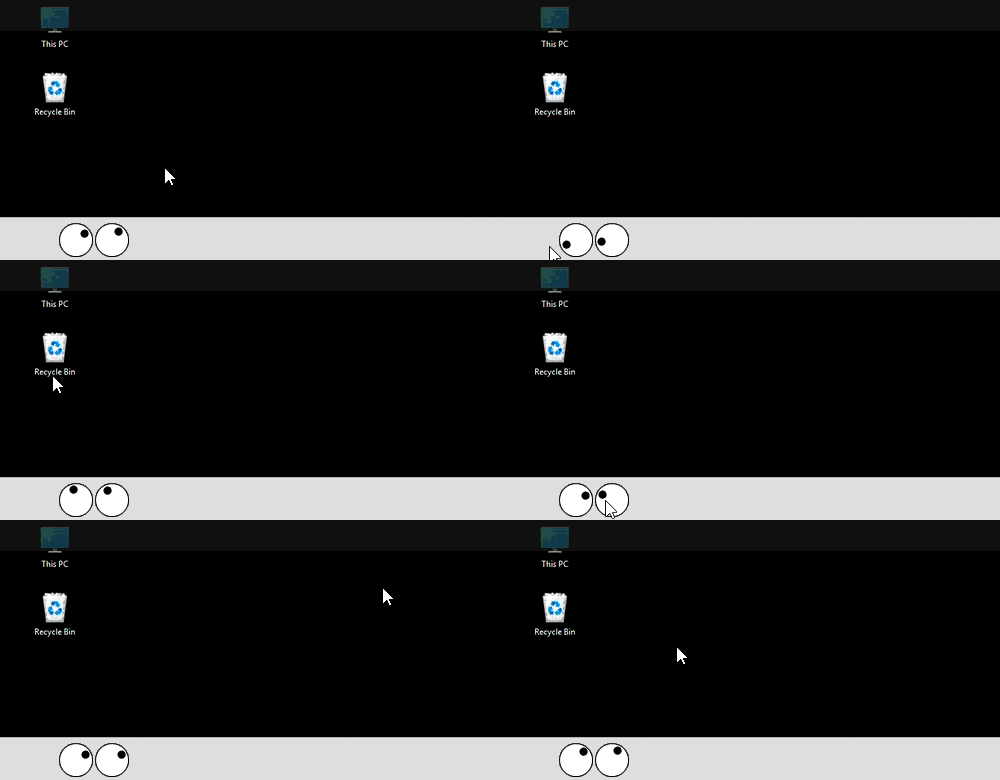
MouseEyes is a lightweight Windows utility that displays animated eyes on your Windows 11 desktop that follow your mouse pointer across multiple monitors — making your cursor instantly visible, even on large or complex setups.
Prelease version is available [Download MouseEyes]
Value Proposition Section
Instantly See Where Your Mouse Is — On Any Screen
MouseEyes adds a playful but powerful visual overlay to your desktop. The animated eyes track your cursor in real time, helping you locate it instantly — even across multiple monitors, high resolution displays, or cluttered desktops.
Designed for fun, accessibility, and productivity, MouseEyes runs quietly in the background and stays out of your way until you need it.
New Secure Release + Free 3‑Month License
MouseEyes is now fully code‑signed. To thank early adopters who download
the new installer, we’re offering a free 3‑month license.
Download the app, then email 3-month-deal@MouseEyes.com
to receive your license.
Key Benefits Section
Why Use MouseEyes?
✔ Enhanced Mouse Visibility - Instantly spot your cursor, even on large or high-resolution desktops.
✔ True Multimonitor Support - MouseEyes tracks your mouse seamlessly across all connected displays.
✔ Fully Customizable Profiles - Choose from built in profiles or design your own layouts, graphics, and behaviors using the Profile Editor.
✔ Lightweight & Nonintrusive - Runs efficiently in the background and can be toggled, resized, or closed at any time.
✔ Accessibility/Friendly - Helps users who have difficulty visually tracking the mouse pointer or who frequently lose it.
Highlight Feature Section
Recover Lost Windows Instantly
MouseEyes includes a unique offscreen window recovery feature.
If an application window becomes lost outside your visible desktop (common after monitor changes or remote desktop use), MouseEyes can detect it and bring it back with a simple double-click using the MouseMap profile.
No more guessing. No more resetting display settings.
Built‑In Profiles
Profiles for Every Workflow
MouseEyes ships with powerful built in profiles, including:
- Two Eyes – Classic dual eye cursor tracking
- Single Eye – Minimal, compact visibility
- Pointer – Directional pointer instead of eyes
- MouseMap – Realtime monitor map with cursor teleport and window recovery
- CPU & Network – Live system resource monitoring overlay
All profiles can be switched instantly from the right click menu.
See Your Mouse. Control Your Desktop.
MouseEyes makes Windows 11 easier, faster, and more enjoyable to use — especially on multimonitor systems.
[Download MouseEyes]
[Pricing & License Information]
[Copyright Policy & DMCA Notice Procedure]